|
<< Click to Display Table of Contents >> gooAgent File Request |
  
|
|
<< Click to Display Table of Contents >> gooAgent File Request |
|
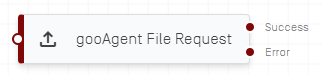
The gooAgent File Request activity allows for the transfer of a specific file from a connected gooAgent. This activity has two flow connectors, one for success and one if an error occurs.
All input fields can be populated via script or variable for this activity.
gooAgent |
Select the desired gooAgent from a dropdown list. |
Path / UNC Path |
The (UNC) path of the file to be transferred to gooflow as a string. |
Archive Path / UNC Path |
The (UNC) path where the transferred file should be moved to on the host system of the gooAgent. |
Format |
Choose the format of the file, such as String for pure text files or Base64 for more complex files. |
Timeout |
Seconds until timeout is forced. |
Retries |
How many retries to gooAgent should attempt for a failed transfer before an error is thrown. |
File Content |
Chose the variable where the file content should be stored. The data type of the variable should match the selected format in the input tab. |
Error Message |
String variable to store error messages from the gooAgent. |