|
<< Click to Display Table of Contents >> UITask |
  
|
|
<< Click to Display Table of Contents >> UITask |
|
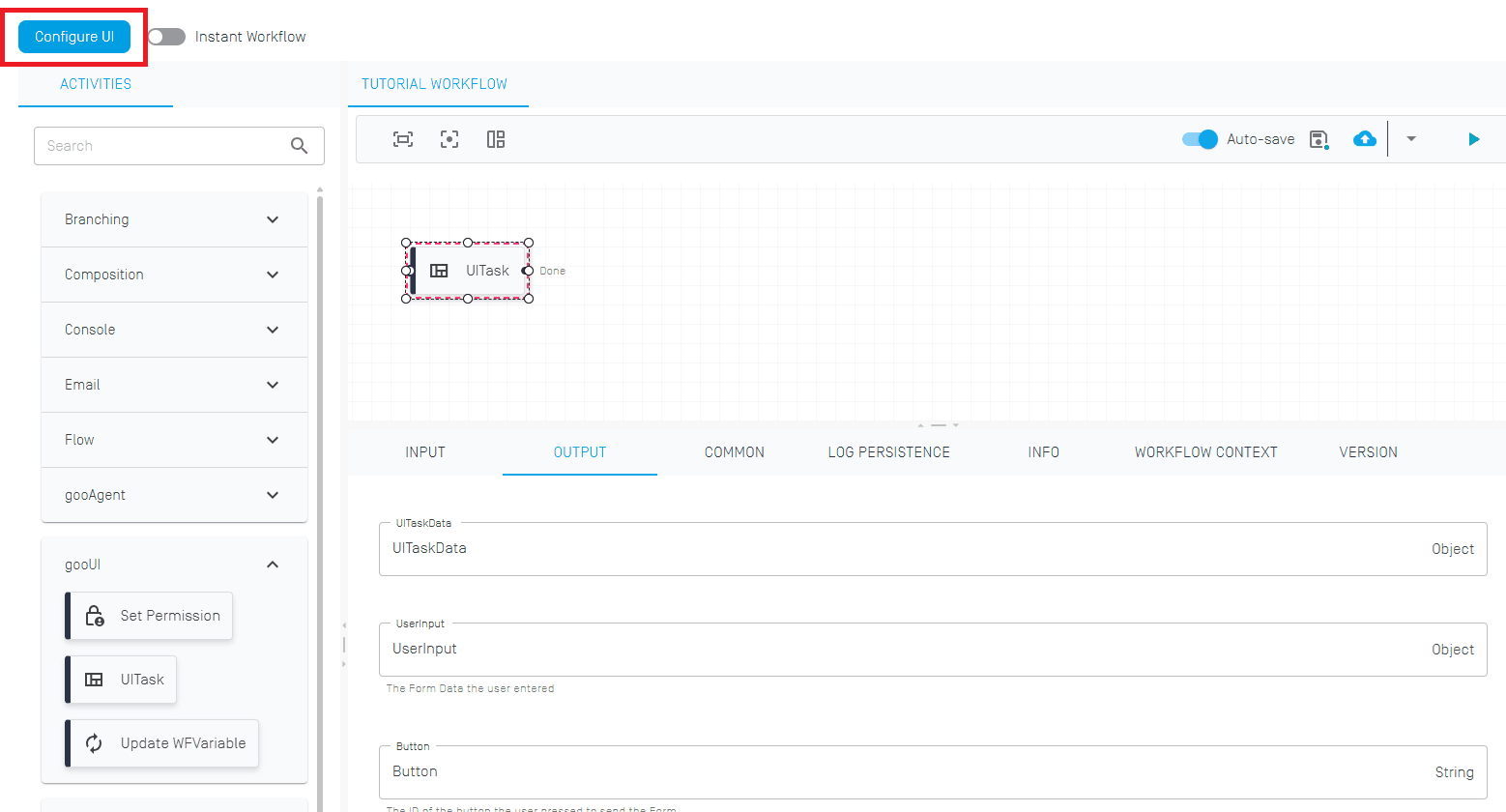
The End activity marks the end of a workflow. This activity is not necessarily needed on a technical level, but provides a way to visually mark the end of the workflow more easily.
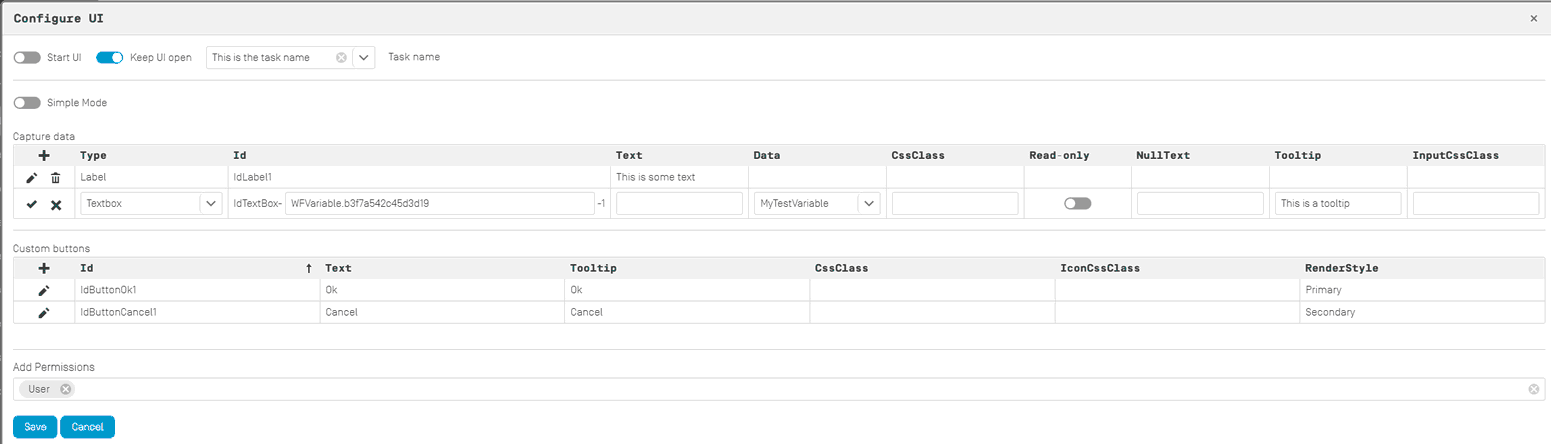
The UI configuration allows for the creation of custom UIs using simple elements. More complex UI elements can be added using plugins.
With the switch "Start UI" the UI will be used when starting the workflow manually.
With the switch "Keep UI open", the UI will not close immediatly but will wait if the following UI in the workflow is assigned to the same user and display it.
The "Task name" can be set manually or via a string variable. This name will show up in the "My Tasks" overview.
The switch "Simple Mode" or "Export Mode" switches between the graphical configurator and the raw JSON editor.
Capture data
The table capture data allows for the creation of the individual UI elements. Choose a type and the respective options will be available in the table row.
The following types are available:
Label |
A simple text label that can't be changed by the user. |
Textbox |
A text box which allows for data entry by the user. |
Link |
A hyperlink. |
Line Break |
A line break. |
Dynamic Page |
A Plugin that can add more complex UI elements, such as date pickers and PDF viewers. Complicated pre-made UIs can be loaded this way as a single element. |
Custom buttons
By default the OK and Cancel button will be added, additional buttons can be added here.
Add Permissions
Fixed permissions can be added by selecting existing roles. If you want to add the permission during runtime dynamically, please refer to the Set Permission activity.
There is no input.
UITaskData |
An object variable which stores the complete data (starting values, inputs, buttons, etc.) used by the UI after the task has been completed by the assigned user. |
UserInput |
An object variable that stores specifically inputs by the user. This variable is used in the Update WFVariable task. |
Button |
An object variable that stores specifically the pressed buttons. |