|
<< Click to Display Table of Contents >> Bulk Dispatch Workflows |
  
|
|
<< Click to Display Table of Contents >> Bulk Dispatch Workflows |
|
The Bulk Dispatch Wofklows activity allows you to dispatch multiple child workflows according to a list of Items.
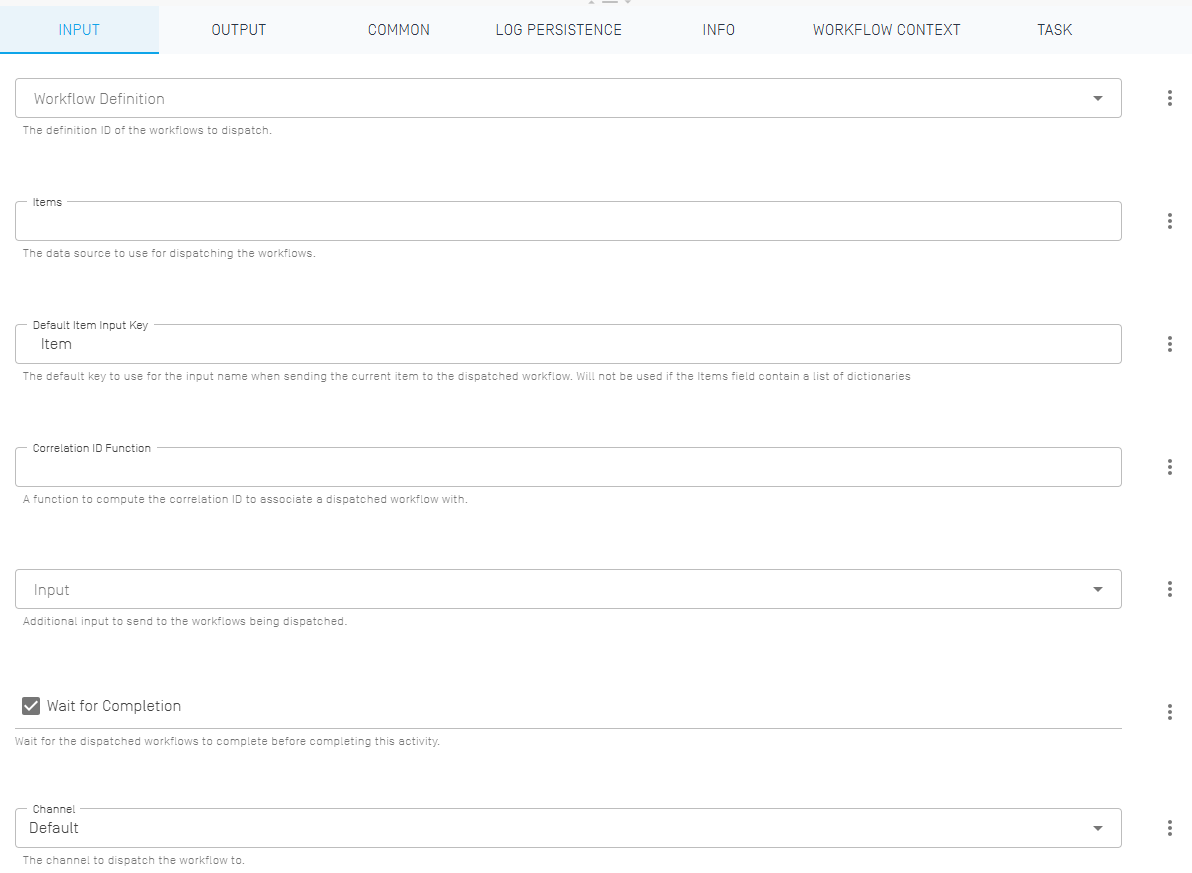
Workflow Definition |
Select a workflow definition to be dispatched. The ID can be determined via scripts as well with the "three dots" menu. |
Items |
The data source to determine how many and which workflows to dispatch, usually an array of some kind. |
Default Item Input Key |
The default key to use for the input name when sending the current item to the dispatched workflow. Will not be used if the Items field contain a list of dictionaries. The default value "Item" can be used in most cases. |
Correlation ID Function |
A function to determine correlation IDs, usually achieved by using JavaScript or C#. Can be left empty to use the default gooflow behavior. |
Input |
Additional optional input for the dispatched workflows, usually an array of some kind. |
Wait for Completion |
Determines whether to wait for the completion of all dispatched workflows before continuing the parent workflow. Allows for asynchronous dispatching of workflows. |
Channel |
Allows for the changing of the channel for the dispatched workflows via script, set to us the default channel by default. |
There is no output.