|
<< Click to Display Table of Contents >> Switch |
  
|
|
<< Click to Display Table of Contents >> Switch |
|
The Switch activity comes in regular and flow style. The regular Switch activity creates containers for each case, the flow activity creates output flows for each case.
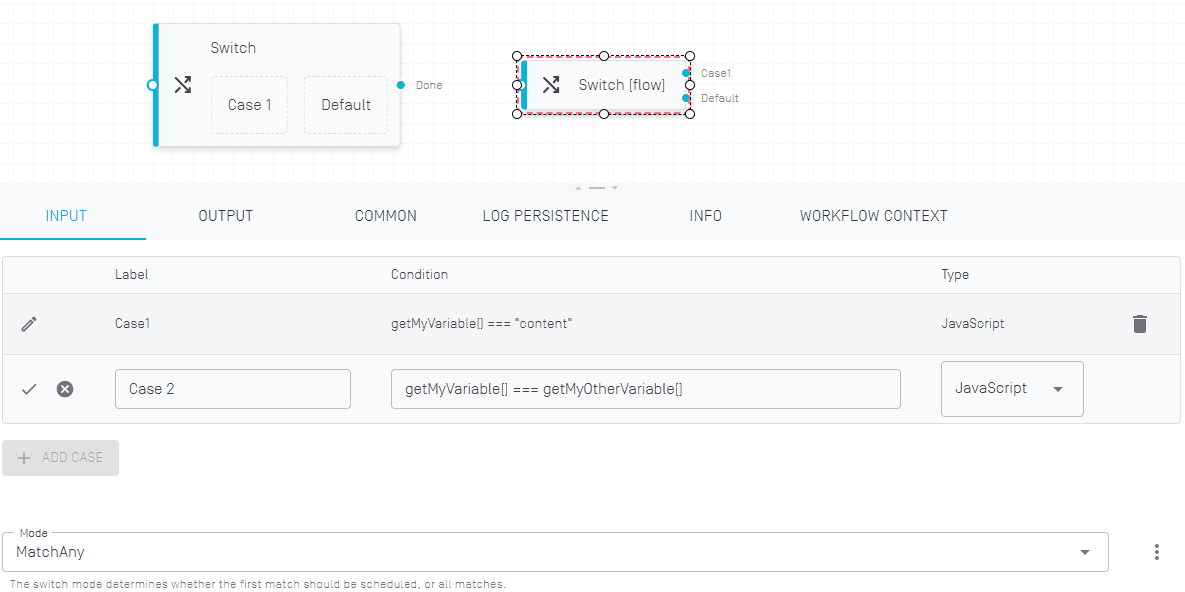
Each case can be defined using a variable, JavaScript or C#.
The Mode defines whether the Switch activity matches the first result or checks each case should be checked, leading to the possibility of multiple cases being executed as parallel flows or containers respectively.
Only the regular Switch activity provides an output. After the container for the case has been completed, an output object can be assigned to a variable.